Create AI Videos From Your Ideas

Turn a prompt or a photo into video, or restyle a clip you already have. Veo 3, Seedance, Kling and more in one place. Upload, describe, and generate.

/
8

Or start from a template (see all)

Video to Video AI

Upload a clip and get it back in a new style. The motion, timing and framing you shot stay exactly as they were — only the look changes.

Image to Video

Start from a still photo instead of a clip. Describe how it should move and get a short video back.

How Video to Video AI Works

No editing skills needed. Your footage goes in, the same footage comes back in a new style — four steps, a couple of minutes.

  1. 01

    Upload Your Clip

    Drop in an MP4, MOV or AVI up to 100MB. Steady footage with one clear subject restyles best.

  2. 02

    Pick a Style

    Anime, cartoon, watercolor, cyberpunk and more. Or describe the look you want in your own words.

  3. 03

    AI Restyles Every Frame

    The look changes frame by frame while the original motion, timing and framing stay exactly as you shot them.

  4. 04

    Download and Share

    Free runs come out at 720p with a watermark. Paid plans unlock 1080p, longer clips and clean exports.

Prompts that already work

Real clips creators shared on X, with the exact prompt behind each one. Pick one and run it with your own photo or idea.

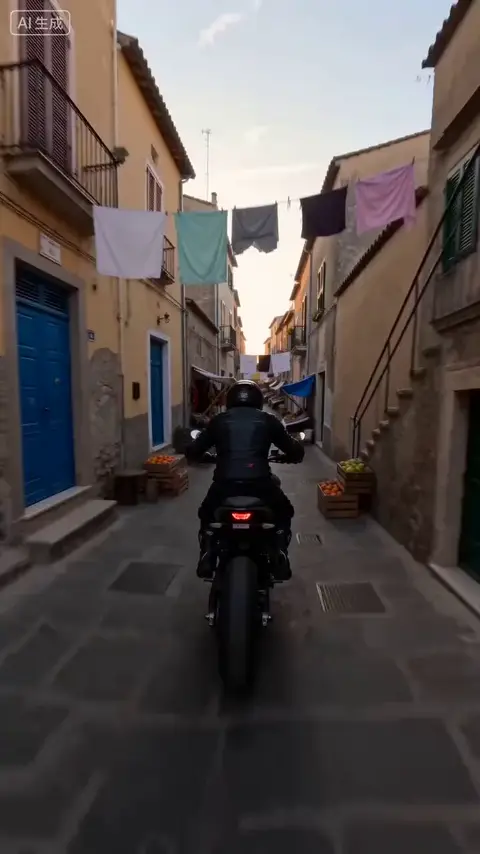
Motorcycle chase, one take

Single continuous shot, motorcycle chase through narrow streets of a Mediterranean village, camera weaves through hanging laundry and market stalls, rider barely dodges obstacles, final reveal opens to massive cliff edge overlooking infinite ocean at golden hour

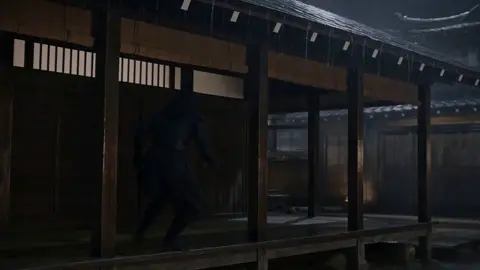
HBO-style fight scene

make an anime 3x3 grid storyboard of a ninja avoiding multiple strikes of a japanese oni, then using one swift sword slice defeats the japanese oni. no numbers.. Live action. Use @image1 to create a 15s cinematic HBO fight scene video. No text..

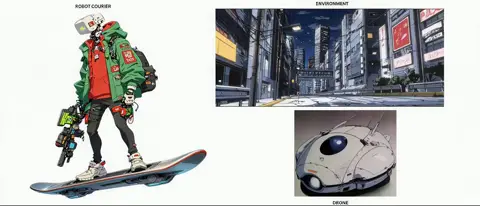
90s OVA anime

1990s OVA anime realism (Prod I.G + Otomo), Japanese full-color, crisp thin genga linework, restrained cel shading + gentle gradients, subtle film grain, sharp shadows, high-contrast rim light. 24fps ultra-fast sakuga cuts, smear+impact frames, light motion blur

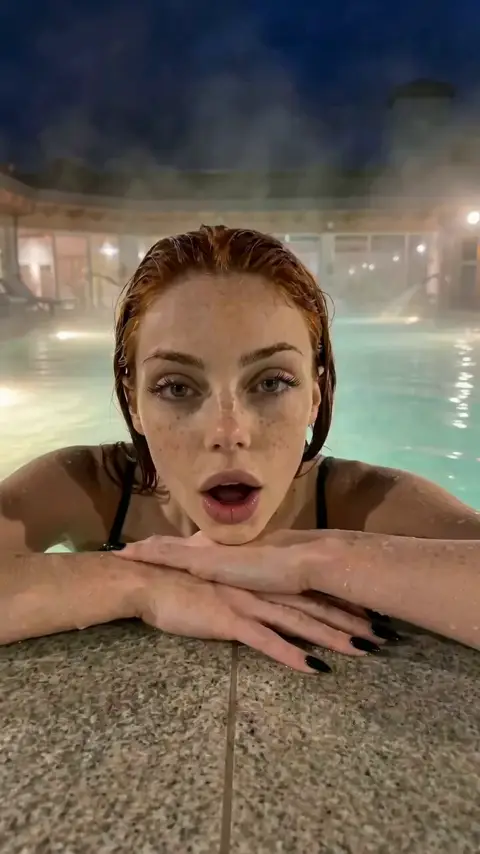
Skincare UGC ad

SETTING: thermal pool at night; warm steamy air; soft yellow wall lights reflecting on turquoise water; stone pool edge in foreground; slight fog in background; natural spa environment. LIGHT: Real iPhone look; slightly dim, warm ambient lighting; moisture on skin visible; no beauty filter; natural skin texture and freckles visible. CAMERA: iPhone front-cam feel; propped on pool edge; slightly imperfect framing; subtle micro-shake from resting position; no zoom. SUBJECT: 20s woman; wet red hair slicked back; minimal makeup; natural freckles; relaxed expression; black thin-strap swimsuit; calm, confident tone. AUDIO: Natural pool ambience; faint water movement; no music; no captions. PROPS: No product visible in this segment. ACTION: She rests her chin on her forearm at the pool edge; one hand gently touches the side of her face below cheekbone; slow, relaxed movements; hands stay below collarbone. DIALOGUE: "Okay so… I used to break out constantly. Like painful, hormonal acne every single month. And I’m not even kidding — I have zero acne now. The only thing I changed was adding zinc and omega-3 supplements to my routine. That’s it." END: Soft exhale and small confident smile; hard cut. DIALOGUE LOCK: keep speech exact, clear English, natural cadence, no extra words.

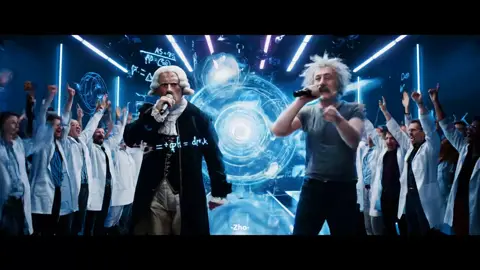
Newton vs. Einstein rap battle

A high-energy rap battle between Isaac Newton and Albert Einstein on a futuristic sci-fi stage. The camera alternates between close-ups and dramatic wide shots as they diss each other with sharp lyrics. Newton, in a classic 17th-century outfit, raps with a British accent about gravity and apples. Einstein, with wild hair and a German accent, fires back about relativity and space-time. Their lip-sync is perfectly timed to the beat, and their facial expressions are intense and animated. The background pulses with neon lights and holographic equations, reacting to the rhythm. The crowd of AI-generated scientists cheers them on in sync with the music. It feels like a rap battle from another dimension.

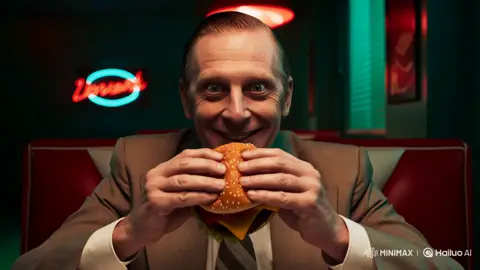
Neon burger ad

Cinematic 15-second commercial shot, fast-paced editing, dark humor, creepy comedy style. Ultra-realistic, 8k resolution. A surreal hamburger restaurant with moody neon lighting (red and green). Close-ups of distorted, wide-eyed hungry people smiling creepily while eating massive juicy cheeseburgers. Fast cuts: sizzling bacon in flames, towering stacks of burger trays, a mysterious retro waiter with a unnerving wide smile. Hyper-detailed melted cheese, glossy sauce drips, chaotic and fun atmosphere, 90s thriller aesthetic crossed with a fast-food ad.

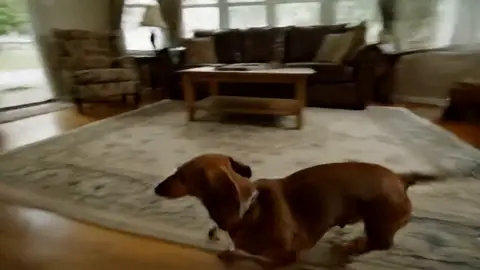
Dachshund dash

The camera follows a dachshund running through a living room and out of an open front door and onto a porch. It stands on the top stair overlooking the neighborhood as an ice cream truck drives by.

Paper-cut stop motion

15-second cinematic stop motion animation in handcrafted paper cut style. Everything is physically assembled by invisible hands, one element at a time. Every object appears with authentic stop motion timing, tiny frame imperfections, subtle paper wobble, handmade placement, slight camera vibration, natural easing, tactile textures, soft shadows, and realistic depth. Nothing fades or morphs. Every piece is manually placed into the scene exactly like a professional stop motion production. Scene begins with an empty dark navy paper background only. 0-2s Large crumpled blue paper sheets slide in from every edge and are pressed into place one after another, forming the underwater cave walls. 2-4s Paper coral pieces appear individually from the bottom. Red coral, green seaweed, beige coral, pink coral, shells, pebbles and tiny bubbles are carefully placed one by one with visible handcrafted motion. 4-6s The glowing jellyfish is lowered from above. The bell lands first, then each tentacle is attached individually, gently bouncing. The jellyfish softly floats with slow natural stop motion movement. 6-8s The paper astronaut child slides into frame from the left. The body arrives first, then the helmet is placed on top with a tiny bounce. One arm rotates slightly as if reaching forward. 8-10s The white cat appears from below. The body is placed first, then the transparent helmet is carefully attached afterward. The tail makes a tiny handmade wiggle. 10-12s Small paper bubbles are added individually around both characters. Each bubble pops into place with slight stop motion jitter. The child and cat gently drift upward a few millimeters. 12-15s The complete underwater world comes alive. The jellyfish slowly pulses. Tentacles sway naturally. Sea plants lightly oscillate. Tiny bubbles continue rising. The astronaut child and cat subtly float together while holding position. Warm glow from the jellyfish softly illuminates nearby paper textures. Camera performs a slow cinematic push-in with realistic macro depth of field. Premium handcrafted stop motion, museum-quality paper art, tactile cardstock textures, realistic layered paper thickness, authentic frame-by-frame animation, tiny alignment imperfections, soft studio lighting, cinematic composition, macro photography, volumetric lighting, ultra detailed, emotionally warm, professional stop motion film, 15 seconds, no text, no watermark.

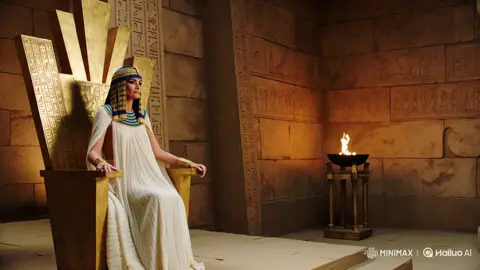
Cleopatra orders pizza

0:00–0:04 — Medium shot inside a golden pyramid chamber. CLEOPATRA sits on her throne looking majestic. A modern pizza delivery guy in helmet and red jacket suddenly walks in holding a large pizza box. 0:04–0:07 — Cleopatra stands up, points at the box and starts singing in a dramatic royal voice: “Pizza man, pizza man… bring the cheese across the sand!” while doing slow Egyptian hand waves. 0:07–0:10 — The delivery guy tries hard to stay professional and say “That’ll be 12 dollars,” but his lips start trembling. 0:10–0:13 — He can’t hold it and bursts out laughing, almost dropping the pizza. 0:13–0:15 — Cleopatra freezes mid-hand-wave, looks at him, and completely cracks up too. Both are laughing while the pizza box tilts dangerously.

Browse all 59 templates

Example videos belong to their creators and link to the original posts. Results vary by model.

Pay for what you generate

Credits, not seats. A Runway clip costs 6, a Veo 3 Fast costs 15. Subscribe yearly for the lowest rate, or pay once for credits that never expire.

No hidden fees • Cancel anytime • Unused credits roll over

20% OFF - Save $70.8
PopularPro

$24.0/month$29.9 /month

$288/year billed yearly

  • 9,600 Credits Per Year
  • Up to 1,200 videosVeo 3 Lite
  • Unused credits roll over
  • All 17 models, incl. Veo 3 Quality & Seedance 2.5
  • 1080p, Watermark-Free Downloads
  • Commercial Usage Rights
  • 4 generations at once
16% OFF - Save $18.8
Starter

$8.3/month$9.9 /month

$100/year billed yearly

  • 2,400 Credits Per Year
  • Up to 300 videosVeo 3 Lite
  • Unused credits roll over
  • All 17 models, incl. Veo 3 Quality & Seedance 2.5
  • 1080p, Watermark-Free Downloads
  • Commercial Usage Rights
  • 2 generations at once
40% OFF - Save $238.8
Studio

$30.0/month$49.9 /month

$360/year billed yearly

  • 21,600 Credits Per Year
  • Up to 2,700 videosVeo 3 Lite
  • Unused credits roll over
  • All 17 models, incl. Veo 3 Quality & Seedance 2.5
  • 1080p, Watermark-Free Downloads
  • Commercial Usage Rights
  • 8 generations at once

Free plan

  • 18 Free Credits on sign-up
  • Up to 45 credits a week with check-ins
  • Up to 2 videos Veo 3 Lite
  • 4 of 17 models, 720p
  • Not included: Unused credits roll over
  • Not included: Veo 3 Quality & Seedance 2.5
  • Not included: 1080p, Watermark-Free Downloads
  • Not included: Commercial Usage Rights
  • Not included: Several generations at once

Payments are processed by Waffo, our payment provider, so your card statement may show WAFFO or WAFFO PANCAKE instead of our name. Questions about a charge? Email support@makeaivideo.net.

Frequently asked questions

Which of these AI video tools are free?

All of them are free to start. A new account gets 18 credits with no card, and those credits run Runway, Veo 3 Lite, Veo 3 Fast and Hailuo H3. Kling 3.0, Kling 3.0 Turbo, Kling 4.0, Grok Imagine, PixVerse V6, Seedance 2.0 Fast, Seedance 2.0, Seedance 2.5, FLUX 3, Veo 3 Quality, Kling 4.0 Reference, Wan 2.6 Flash and Vidu Q4 are on paid plans. Free runs export at 720p; paid plans start at $9.9/month and add 1080p exports, no watermark and commercial usage rights.

What can I upload?

Photos as JPG, PNG or WebP, and short clips as MP4, MOV or WebM. Text to video needs nothing but a prompt; image to video starts from a single photo.

What do I get back?

An MP4 you can download and post anywhere. Most tools let you pick 16:9, 9:16 or 1:1, a length between 4 and 10 seconds depending on the model, and 720p or 1080p on paid plans. Veo, Hailuo H3 and Seedance generate sound along with the picture. Lyric videos come out vertical.

Which AI models run here?

Runway, Veo 3 Lite, Veo 3 Fast, Hailuo H3, Kling 3.0, Kling 3.0 Turbo, Kling 4.0, Grok Imagine, PixVerse V6, Seedance 2.0 Fast, Seedance 2.0, Seedance 2.5, FLUX 3, Veo 3 Quality, Kling 4.0 Reference, Wan 2.6 Flash and Vidu Q4, all on one account and one credit balance. A clip starts at 6 credits on the cheapest model and 160 on the most expensive at its shortest length; longer and 1080p clips cost more. Credits are priced off what each model costs us, so the expensive ones simply spend your balance faster.

Does the result keep my original motion?

For the tools that start from your own footage, yes. Video to video restyling repaints the frames in a new look while the movement, timing and framing stay where they were.

Do I need to write a good prompt?

No. Write one line, in any language, and we turn it into a full shot description (camera move, lighting, sound) before it goes to the model. If you already wrote a long, detailed prompt, we send it as written and only translate it into English if needed.

Where do I get ideas?

The templates page has 59 ready-made prompts with example videos, collected from creators on X and credited to them. Pick one, add a photo if it asks for one, and it runs with the prompt already filled in.

How long does a generation take?

Usually one to three minutes. Kling, Seedance 2.0 and longer 1080p clips take the longest, and lyric videos run two passes (the song first, then the video). You can close the page; the video lands in My Videos when it is done.

Can I use the videos commercially?

Commercial usage rights are included on every paid plan. Whatever the plan, you need the rights to the footage and photos you upload.

Do I need to install anything?

No. Everything runs in the browser, on desktop or phone. Nothing to download and no editing software needed.

Make your video

Upload an image or clip, or start with a prompt. Image to video, text to video and video to video all run today.